The course completion report proves that you are an Onsego student, and it shows how many lessons you have completed so far.
The report includes your name, the name of the courses you have access to, and the number of lessons you have completed.
This course completion report is created automatically and can be used as proof of enrollment.
You can find this report on the “Course Completion Report” page.
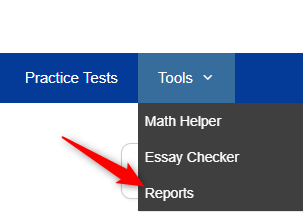
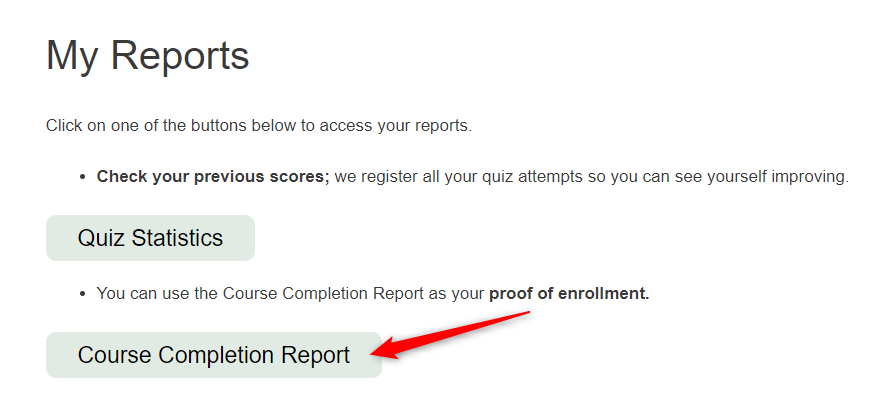
This report can be printed or saved as a PDF.
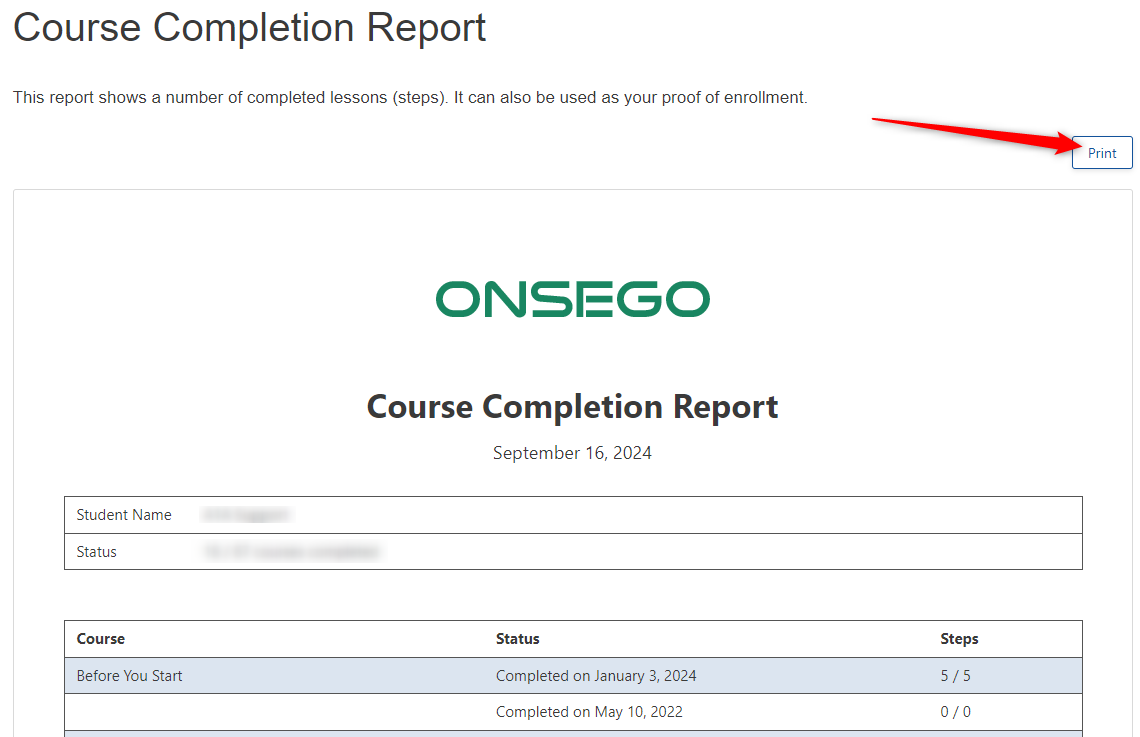
If you want to save your report to PDF, you need to click on the print button and then choose the option “Save to PDF”; the PDF version of your report will be created and saved on your computer.
Last Updated on October 14, 2025