
You can access the official GED Ready practice tests by logging in to your account at GED.com.
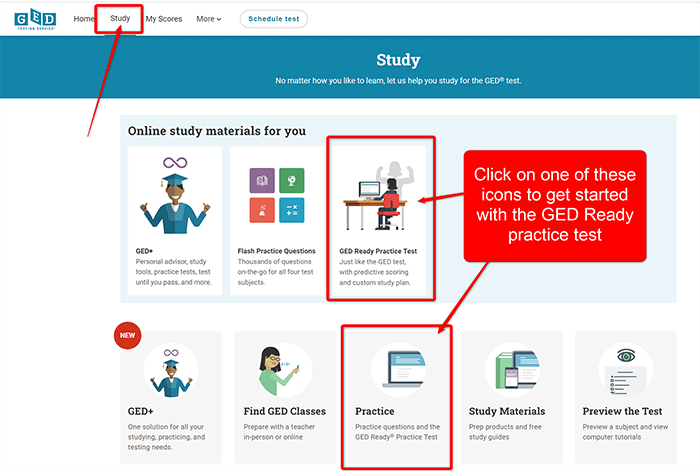
- After logging in, click on the “Study” button.
- Select “Practice”, then click “Buy Subject.”
- You’ll be taken to the GED Ready product page.
Here’s where you can use the GED Ready code you downloaded from your Onsego account:
Click “Have a voucher code? Redeem now.”
Paste your code there.
⚠️ Important: Do not paste the code in the coupon box — it will not work and will show an error.
Make sure you click on the “Have a voucher code” link.

Last Updated on October 14, 2025