
When you order the GED Ready vouchers, you receive code vouchers from us. Here are instructions for redeeming these codes.
To take the GED Ready® practice test, you’ll first need to log in to your GED.com account.
If you try to redeem your voucher without being logged in, you will get an error code.
If you haven’t created one yet, go ahead and do that now. Then follow these directions:
Here’s what to do:
-
Log in to your GED.com account.
-
Click on the “Study” button.
-
On the next page, click on “See if I’m ready.”
-
You will be redirected to the product page, where you can choose your subject. Then you can choose your language: English or Spanish.
-
On the next page, you will see ” Do you need to redeem a voucher?” Choose “Yes, I need to redeem a voucher,” then follow the directions on the screen.
Follow the screenshots:


Next, you will see a page titled Agree to GED Testing Service Policies. Click Agree.
You will then be taken to the Cart page. Here, you’ll see the GED Ready test you selected, for example:
MAT_RG: GED Ready™ – Mathematical Reasoning
Language: English
Length: 60 minutes
You will also see the regular price of $6.99. Don’t worry, you will not be paying for this test. You will use the voucher code you received from Onsego.
Click Proceed to Checkout at the bottom of the page.
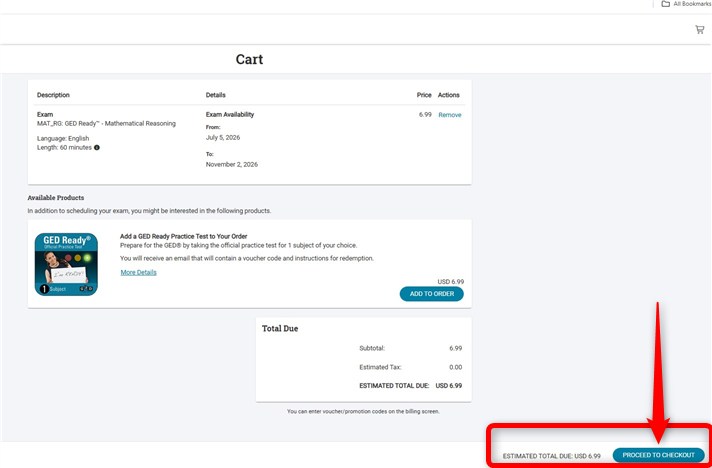
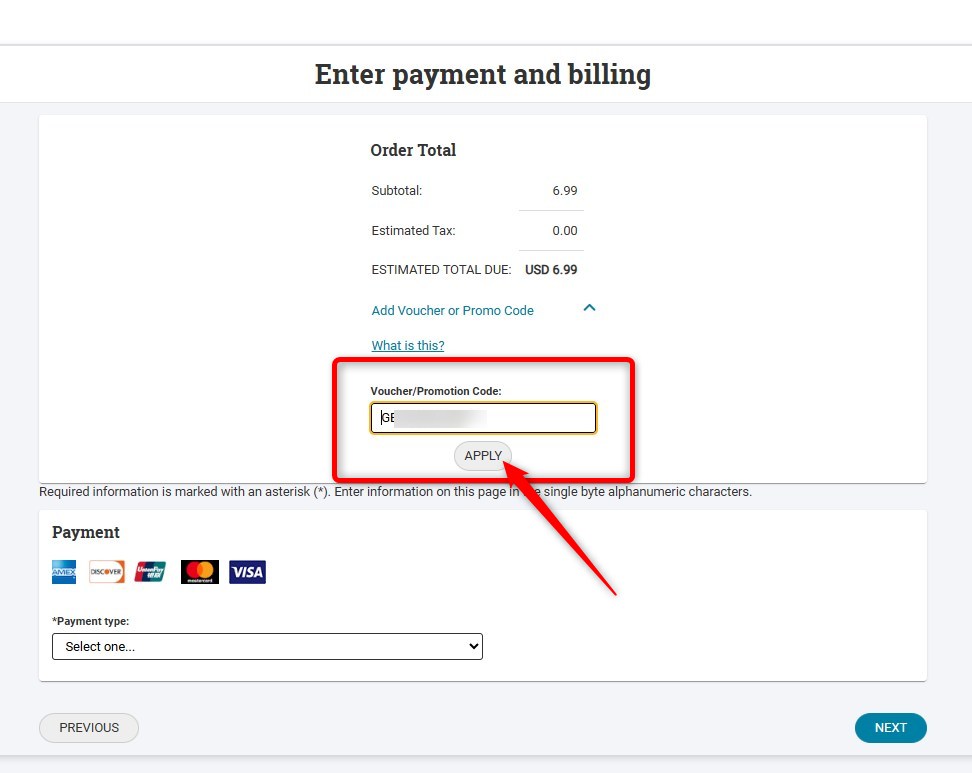
Next, you’ll see the Enter Payment and Billing page. Look for the Voucher/Promotion Code box.
Copy and paste (or type) your Onsego voucher code into the box, then click Apply.
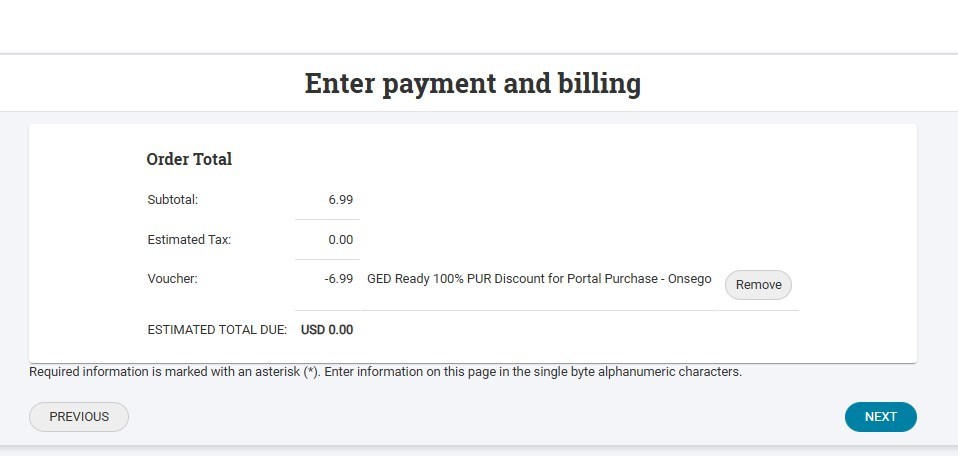
The voucher is accepted; the total will change to Estimated Value: $0.00.
Click Next to complete the redemption and start your official GED Ready practice test.
That’s it! You have successfully redeemed your Onsego GED Ready voucher.
Last Updated on July 5, 2026