
Every time you take a quiz, the result is saved in our system. You can check your previous scores in two ways:
- On the main Dashboard when you click on the My Onsego menu item
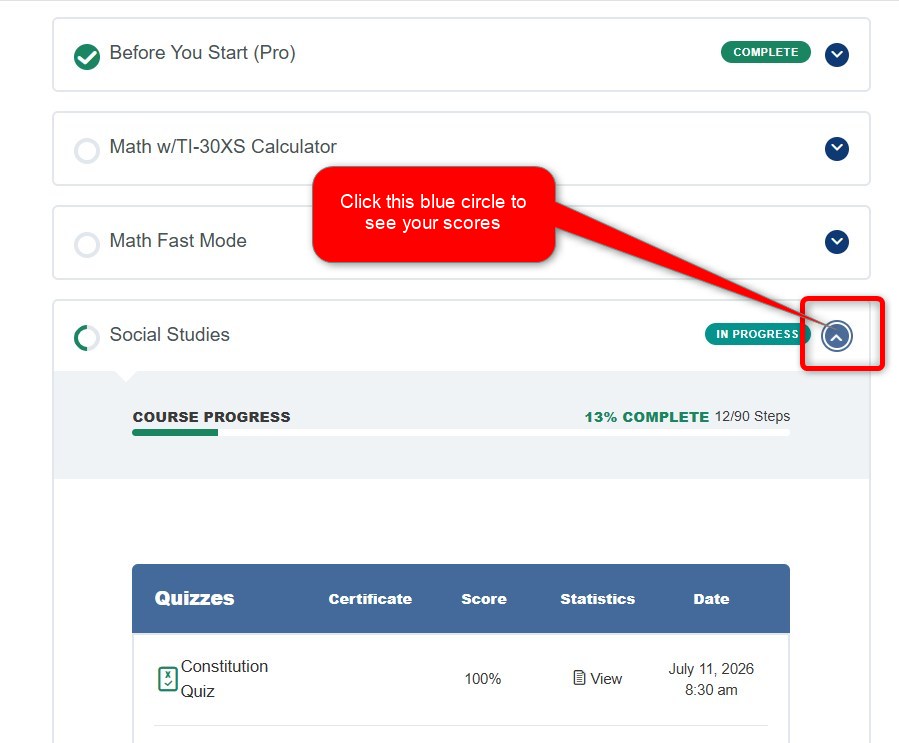
- On the Quiz Statistics page, after clicking on the Tools menu item
The quiz statistic page shows you all your courses and associated quizzes. To choose a quiz, click on the green arrow to the right.
-
To see your scores, click the small arrow on the left side of the title. Each arrow opens a new tab with the next level of lessons and quizzes.
-
To review your answers, click the link labeled “Statistics.”

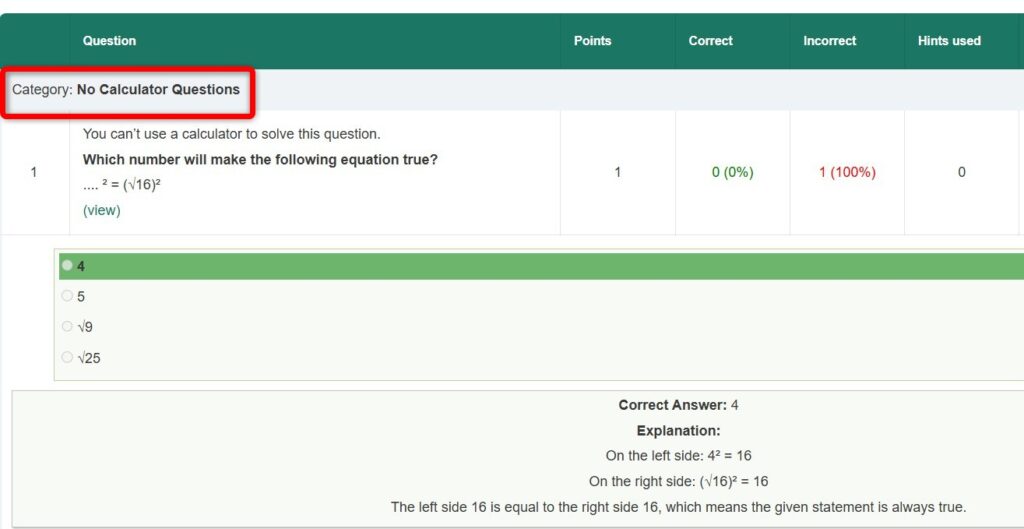
You’ll see your answers in two columns: Correct and Incorrect.
If there’s a 1 under Correct, you got it right.
If there’s a 1 under Incorrect, you got it wrong.

To find the module, check the top-left corner of each question. Questions from the same module are grouped together under one label.
Last Updated on July 12, 2026