Your Family & Friends package includes two activation codes—one for each student. Each code can be used once to create a separate student account.
- Choose the plan listed in your email:
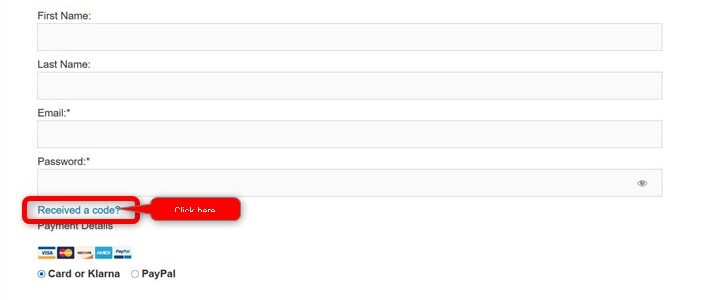
- Enter one activation code in the “Receive a code” box.
- Complete registration using the student’s name and email address. After applying the code, the total should be $0.
The second student follows the same steps using the other code and a different email address.
Get your GED Diploma Quickly
With Onsego, it’s simple and easy
Codes only work with the plan they were issued for. If you select a different plan, you’ll receive an error.
The image below shows where to find the “Receive a code” box.
Last Updated on November 5, 2026
How Fast Could You Get Your GED?
Take an 8-question quiz